Computer accessories are cheap individually and expensive in aggregate. A keyboard that strains your wrists, a mouse you stop using after a week, or a storage box with the wrong ports all cost money twice: once to buy, once to replace. This guide walks through the seven questions that decide whether a keyboard, mouse, storage device or extra screen is right for you, then shows where four brands we have reviewed fit.
1. Start with the problem, not the product
Most accessory purchases solve one of four problems:
- Discomfort (wrist, shoulder or neck strain): look at ergonomic keyboards, vertical or trackball mice, footrests and chairs.
- Typing feel or desk style: look at mechanical keyboards, keycaps and desk mats.
- Running out of space or needing backups: look at NAS, direct-attached storage (DAS) and SSD enclosures.
- Not enough screen room on a laptop: look at portable monitors.
Naming the problem first keeps you from buying a $130 keyboard when the real issue was a mouse, or a NAS when a $72 SSD enclosure would have done the job.
2. Ergonomic input: shape matters more than features
If comfort is the goal, the shape of the device matters more than DPI, backlighting or the number of buttons.
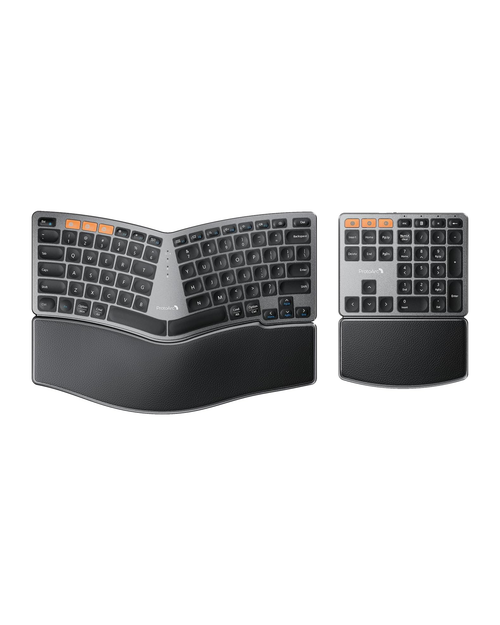
Keyboards come in three ergonomic shapes. A wave layout curves the keys gently but keeps a standard arrangement, so the learning curve is short. A split keyboard separates the halves so your wrists stay straighter, but expect a week or two of adjustment. A separate numeric keypad lets you pull the mouse closer to your body, which helps shoulders.
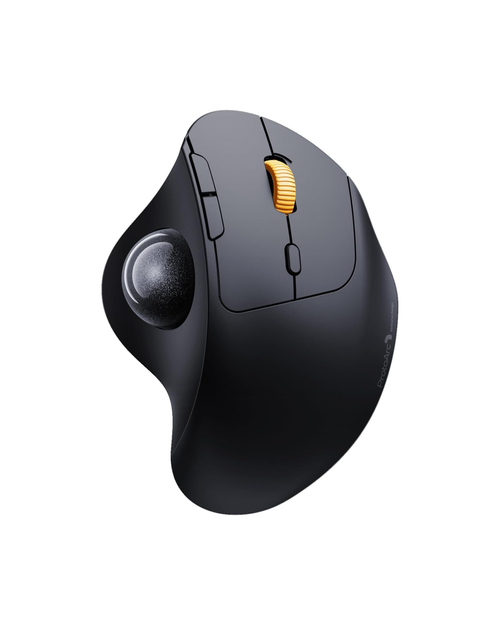
Mice come in two main ergonomic shapes. A vertical mouse holds your hand in a handshake position. A thumb trackball keeps the body still so only your thumb moves, which also suits cramped desks.
What to check:
- Palm rest: cushioned or hard, and removable or fixed.
- Connection: Bluetooth plus a USB receiver gives you a fallback when Bluetooth misbehaves.
- OS support: some keyboards are Mac-only or ship in a UK layout, and some mouse side buttons do not work on macOS.
3. Mechanical keyboards: layout, switches and hot-swap
If typing feel is what you care about, three choices matter most.
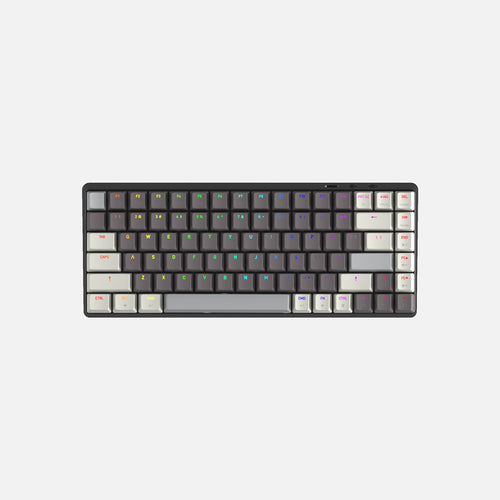
Layout size. Full-size has a number pad. A 98% layout keeps the number pad but tightens spacing. A 75% layout drops the number pad but keeps arrows and function keys, which is the most popular compact size. If you live in spreadsheets, keep the number pad or plan to buy a separate one.
Switch type. Linear switches (often red) are smooth and quiet. Tactile switches (often brown) have a bump. Clicky switches (often blue) are loud and not shared-office friendly.
Hot-swap. A hot-swappable board lets you pull switches out and try new ones without soldering. It is the single feature that makes a first mechanical keyboard future-proof. A barebone kit goes further: you buy the case and board, then pick switches and keycaps yourself, so the sticker price is never the total cost.
Keycap profile and compatibility. Flat profiles like XDA feel different from the sculpted caps most boards ship with. Low-profile boards need low-profile caps. Always check the switch stem type and layout before buying a keycap set.
4. Storage: NAS vs DAS vs SSD enclosure
This is where most people overbuy or underbuy.
| Type | What it does | Connects by | Good for | Typical starting price (TerraMaster) |
|---|---|---|---|---|
| SSD enclosure | Turns one M.2 SSD into a fast external drive | USB / USB4 / Thunderbolt | Portable editing, extra Mac storage | $71.99 (D1 SSD Plus) |
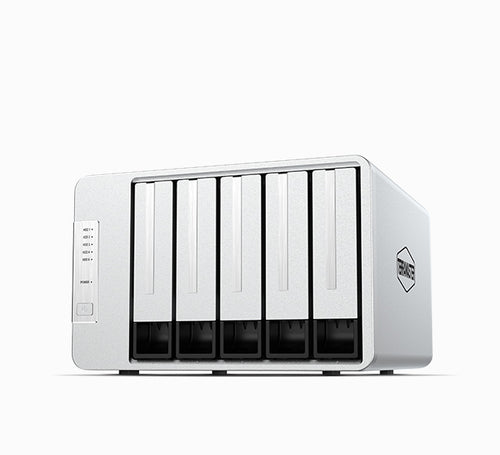
| DAS | Several drives in one box, plugged into one computer | USB | Big local archives, RAID on one machine | $181.93 (D5-310) |
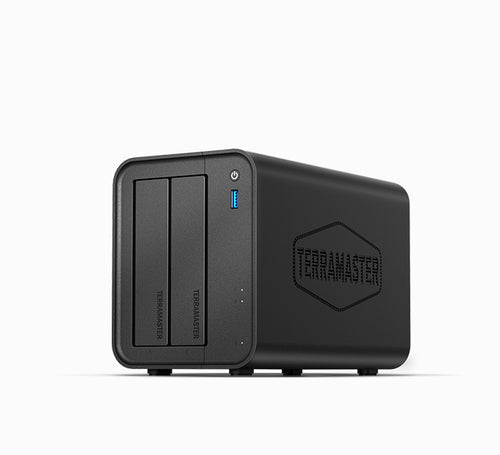
| NAS | A small server on your network | Ethernet | Family backups, media streaming, shared files | $239.99 (F2-425) |
Key rules:
- Drives are almost never included. Budget for them separately, and check which drives and RAM your model supports.
- The connection is the speed limit. A 5Gbps USB DAS tops out around 220 MB/s. A USB4 enclosure only reaches its rated 40Gbps on a USB4 or Thunderbolt port. A NAS with 5GbE or 10GbE ports needs a switch and computer that support those speeds.
- Two bays means mirroring. A 2-bay NAS gives you one drive of protected space. Four bays give you more flexible RAID options.
- RAID is not a backup. It protects against a drive failing, not against deletion or ransomware. Keep a second copy elsewhere.
5. Extra screens for laptops
Portable monitors either stand next to your laptop or attach to it. Check three things: screen size relative to your laptop, the cable it needs (single USB-C with video and power, or USB 3.0 with drivers), and whether your laptop's ports actually support video over USB-C. Not all USB-C ports do.
6. Read the policies before the spec sheet
Accessories are personal, so a return policy matters more than it does for, say, a cable. Look at:
- The return window and whether it counts from purchase or delivery.
- Who pays return shipping on change-of-mind returns.
- Whether opened items can be returned at all, and any restocking fee.
- Warranty length and who pays shipping for warranty service.
7. Red flags
- Compare-at prices far above the sale price, with no history to back them up.
- Product pages with no specs at all (enterprise storage listings sometimes show only a price).
- Returns limited to unopened items, which means you cannot test an ergonomic product.
- No stated warranty length.
Where the brands fit
ProtoArc: our top pick, best for ergonomic keyboards and mice. Most mice are under $40 and most keyboards under $70. It has the strongest policies of the four: 30-day returns with a full refund including original shipping, prepaid labels for defective items, and a 2-year warranty on accessories (3 years on furniture). Change-of-mind returns ship at your cost, and damage claims must be reported within 7 days.
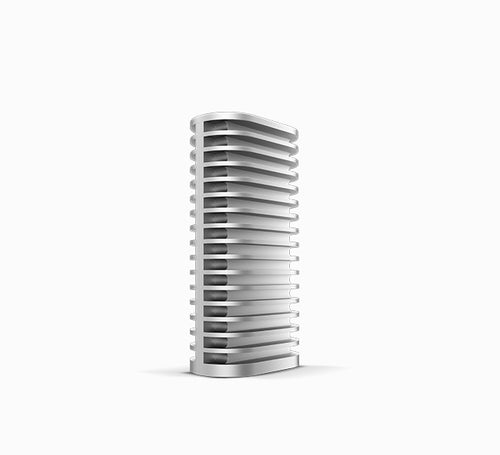
TerraMaster: a close second, best for storage on a budget. It sells everything from SSD enclosures to rackmount servers, with free continental US shipping over $99. The tradeoff is a 12-month US warranty (24 months in the EU) where you pay to ship units in, and no clearly stated change-of-mind return window. Some newer products list a 2-year warranty on the page, so check each one.
AZIO: a step behind on policies, best for keyboards with a distinct look. The Retro typewriter-style boards and colorful IZO line stand out, and the Cascade hot-swap range is an affordable entry into custom keyboards. Policies are the weak spot: the 30-day return window counts from purchase, items must be resealable or face a 25% restocking fee, and shipping times are not published.
The Portable Monitor: a niche pick with caution. Its Slide and Flex Pro screens attach to a laptop to create a three-screen setup. We could not browse its catalog to confirm prices, returns are only described for unopened products with return shipping on you, and we found no published warranty terms. Consider it only if the attached design is exactly what you need, and confirm laptop fit first.
Budget tiers at a glance
- Under $40: a trackball or vertical mouse, a desk mat, a footrest, or a sealed keyboard and mouse combo for messy workspaces.
- $40 to $130: an ergonomic keyboard, a hot-swap mechanical board, or a USB4 SSD enclosure.
- $180 to $500: a DAS box or a 2 to 4 bay NAS, plus drives.